
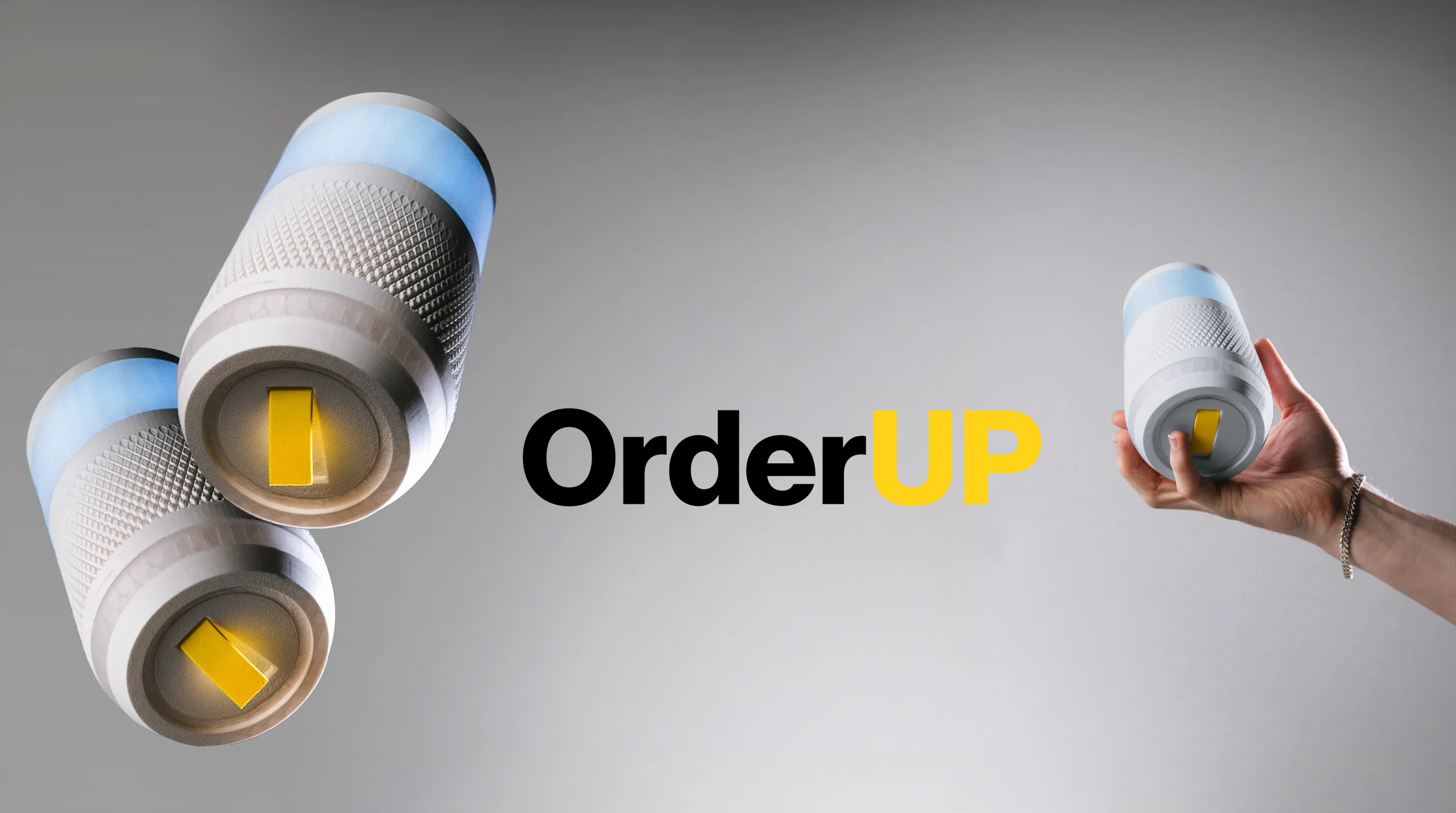
OrderUP.
Case study 05/10 — 2024
An interactive menu projected onto the restaurant table, so guests can explore it and order on their own.
- Year
- 2024
- Disciplines
- UX/UI, Ergonomics, Research, Prototyping
- Team
- Jens Riesenberg, Noah Hielscher, Lukas Speidel
OrderUp is a mixed media ordering interface for mid-sized restaurants that projects an interactive menu directly onto the table. This allows guests to explore the menu and place orders independently. By combining a user-friendly experience with valuable backend analytics, OrderUp improves customer satisfaction, streamlines service, and ensures transparent, anonymous payments.
- 4 seats per table, covered by networked short-throw projectors
- 6 h battery life, with a battery that is quick to swap
The situation.
Eating out still follows the same routine: wait for the menu, wait for someone to take the order, wait for the bill.
Along the way, menus are often unclear and hard to read, allergens and ingredients are hidden in small print or not listed at all, and you only find out how big a portion is once it arrives. Paying is the last awkward step, from working out the tip to deciding between card and cash in front of the server. We asked how a dining experience could become more accessible and keep paying anonymous, make the processes behind it more efficient, and still fit the day-to-day operations of mid-sized restaurants.
The idea.
We analysed a restaurant visit from the perspectives of different guests and set it against what a restaurant needs to run smoothly.
Detailed flow charts and a systematic categorisation of the problem areas showed where things go wrong. In the ideation phase this turned into a modular concept that adapts to different kinds of restaurants and room layouts, with an interface tuned to the needs and limitations of different groups of guests. It is aimed at mid-sized restaurants whose dishes can be customised, and at guests who are comfortable with touch interfaces.
The making.
OrderUP is a small device on the table that projects an interactive menu right onto it, so guests can browse, choose and order on their own, whenever they are ready.
Short-throw projectors are networked to cover a table for four, and infrared sensors pick up every touch without the guests' hands casting shadows over the menu. The battery runs for six hours and is quick to swap, so devices are hardly ever out of action. A grip surface makes the device safe to carry, a haptic power button can be found without looking, and the devices stack for storage and transport.
The hardest part was keeping the interface usable once the first orders have arrived and the table is full. We tested the touch areas with people with physical restrictions and with children to find out which zones everyone can reach. Together with an analysis of typical table layouts and the hierarchy of the information, this led to an adaptive secondary ordering view that condenses the menu and moves it to wherever there is space left. The interface itself stays calm: muted colours, yellow as the one accent for whatever is active, and icons abstracted so they are recognised at a glance.
Take a closer look.
The outcome.
For guests, the result is a calmer visit: they explore the menu at their own pace, see allergens, ingredients and the actual portion sizes, order independently, and pay anonymously by card or cash, with the tip worked out before anyone comes to the table. For the restaurant, servers no longer need to take orders and can focus on bringing the food, which saves staff costs, and the backend adds analytics on how the menu is used.
 Next frame — 06/10 Reimagination and streamlining of the tractor buying process for Claas. View project